
Why Is MEFS Worth Adding to OpenClaw When Everyone Is Starting to Use “Lobster”?
If someone asks you what the hottest concept in tech was at the beginning of 2026, the answer would likely be something with a strange name: OpenClaw. In Chinese-speaking communities, people like to call it “Lobster.”
It is not just a new chatbot.
It is also a landmark moment.In just a few months, it went from an open-source project to a global trend. It broke GitHub star-growth records, triggered security warnings from government agencies, and made countless people truly feel for the first time:
The era of AI assistants has really arrived.
OpenClaw’s popularity has brought a lot of people into this space.
At first, many people just wanted to try it. But once they really got it running, they realized that it does not just “chat.” It can actually work like a tireless helper and push a whole process forward.
But because it has started to do real work, a new question comes up:
The files are generated, the logs are there, and the task is done — but where should all of that go next? Can you still find it later? If you switch devices or start a new session, can you continue where you left off?
Once AI starts being used in real workflows, data storage and management quickly become problems you cannot avoid.
In the past, people were not very sensitive to storage. Many times, it felt enough to keep files in a local folder or save one copy on a server.
But once AI agents really start running, things change.
Code, documents, logs, and model outputs are no longer just temporary files used once and then forgotten. They become results that keep building up over time. If they are all still kept on one machine or in one service, the risks and limits become more obvious.
To put it simply: if you put all your eggs in one basket, one accident can break all the eggs.
What Is MEFS?
MEFS is meant to solve exactly this problem.
On one hand, it stores data in different places. In other words, it puts the eggs in different baskets, so even if one basket falls, the others are still there.
On the other hand, MEFS turns its ability into a standard product that OpenClaw can connect to directly. This means AI-generated content is not just something that appears for the moment. It can actually be kept, found again later, and used again in the next step.
You can think of it like this:
In the past, many AI results were like files casually left on a desk. Once the desk got messy, those files were easy to lose.
MEFS is more like a distributed warehouse. It does not pile everything into one cabinet. Instead, it stores things separately, gives them labels, and lets you find them again when needed.
What it adds is not just a “small feature.” It adds a very important layer to the AI workflow:
It makes sure AI-generated results do not just appear once — they can truly stay.
Why Is It Worth Connecting to OpenClaw?
Because these two things fit together perfectly.
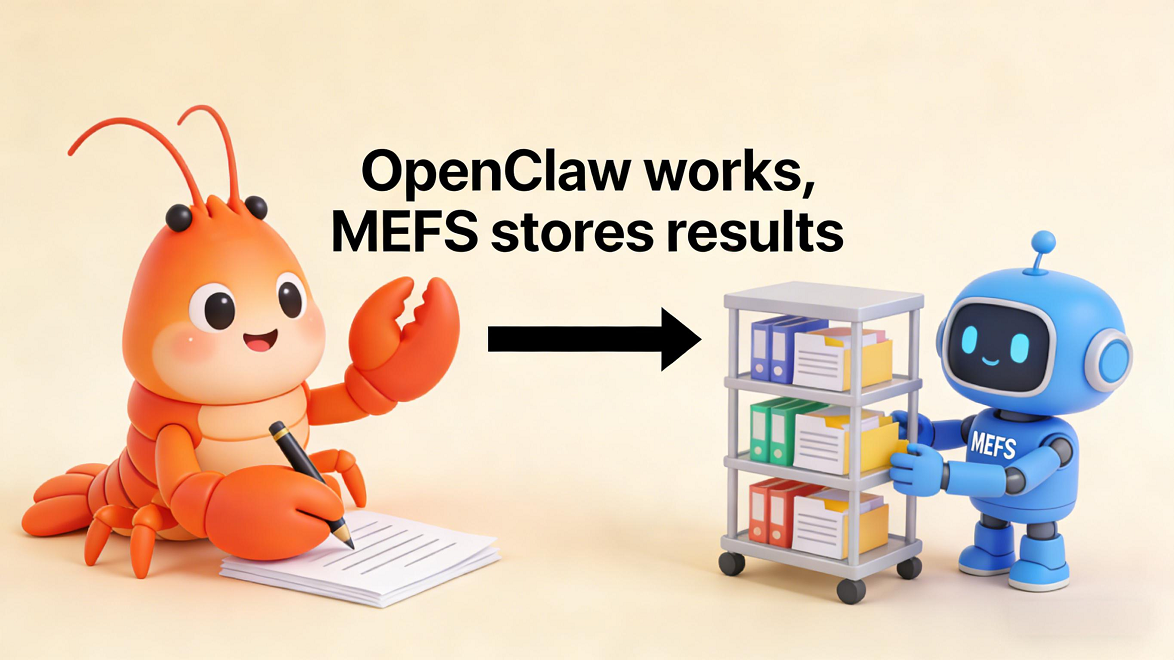
OpenClaw does the work.
MEFS keeps the results.
The first one creates code, documents, logs, and other outputs. The second one catches those results, stores them, and gives them back when you need them again later.
The official guide provides two ways to connect them:
One way is to put MEFS on a remote server and let OpenClaw connect to it remotely.
The other way is to put MEFS and OpenClaw on the same machine and connect them locally.
After the setup is done, you run one health check. If everything looks normal, that means the connection is working.
The detailed deployment steps are at the end of the article, and users who already use OpenClaw can try adding MEFS.
What Does OpenClaw + MEFS Look Like in Real Use?
Here is the simplest example.
You tell OpenClaw:
“Write a meeting summary for me and save it as work.txt.”
It can create that file very quickly.
If the file is only stored locally, it may be forgotten after this use. If you switch devices, or want to find it again later, you may have to spend a long time digging through folders.
But if MEFS is connected, the process gets one extra step:
After OpenClaw creates the file, it will also upload it to MEFS.
Once the upload is complete, the system gives the file its own unique ID. You can think of this ID like a shipping number or a pickup code in a warehouse.
Later, if you want that file again, you do not need to search through local folders. You can simply use that ID to get it back.
This means AI-generated code, logs, documents, and many other results are no longer just “a pile of files left behind after one run.”
Instead, they become content that can be saved, found again, and reused later.
That is why the more popular OpenClaw becomes, the more important decentralized storage becomes.
When AI is only used for chatting, storage stays in the background.
But once AI really starts doing work, storage is no longer a side role.
You need a place that can safely hold the results.
That is exactly what MEFS adds.
It makes sure AI-generated output is not only created, but also truly kept.
OpenClaw’s popularity has helped many people start using AI in real workflows and experience the power of the AI agent era.
MEFS makes sure those AI outputs can truly stay, can be found again, and can keep being used.
If you are already using OpenClaw, you may want to try adding MEFS and take the OpenClaw experience one step further.
Learn more about MEFS MCP Server and start building your own AI + decentralized storage workflow: