
The lobster craze is in full swing — how can we elevate the OpenClaw experience to new heights?
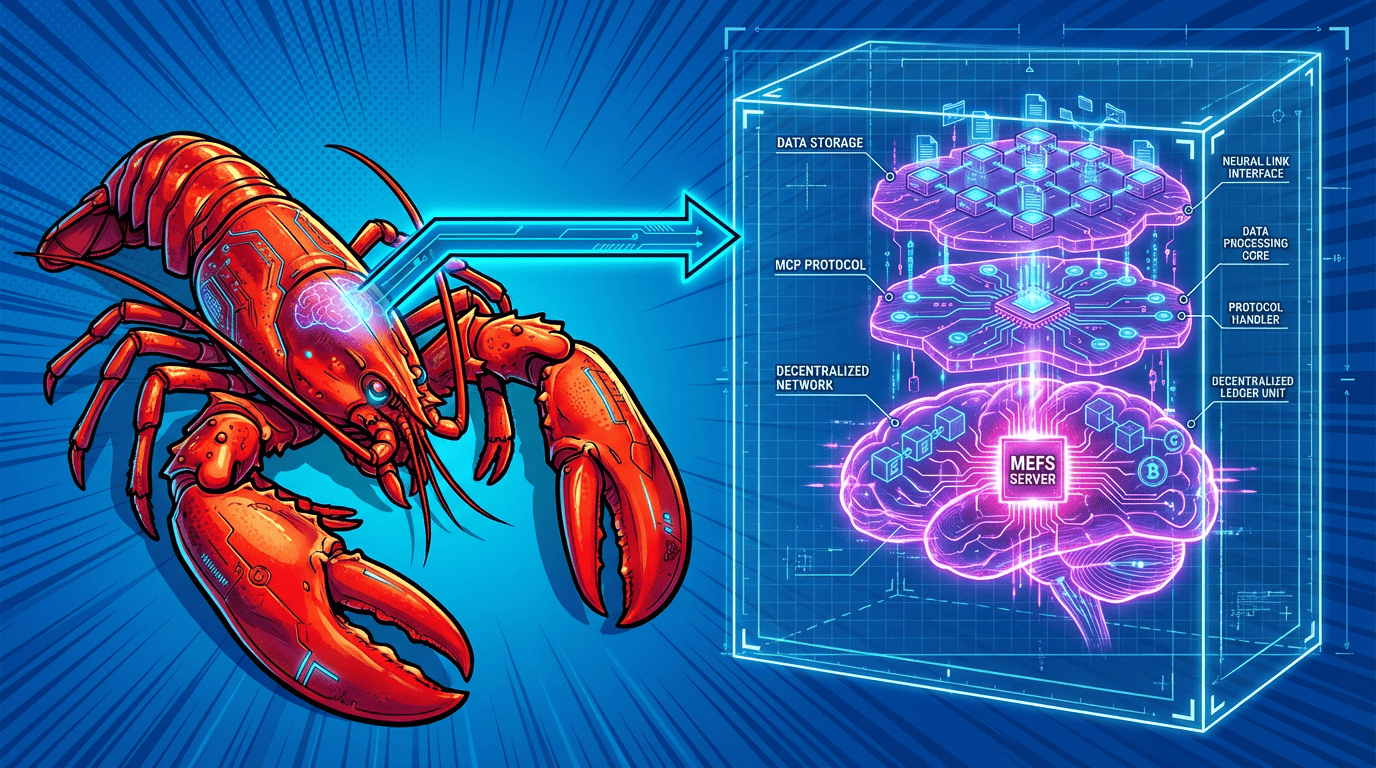
Recently,OpenClaw sparked a surge in installations within the AI developer community. From beginners to experienced users, many have deployed this standalone AI agent framework. Its popularity is easy to understand:
Directly converting natural language into executable commands enables seamless interaction between humans and AI.
With a built-in standard working directory, AI-generated content can be created and processed directly here;
Native support for the MCP protocol, resulting in a smooth user experience when using tools;
It is lightweight and stable, making it suitable for various daily AI tasks.
Many users have reported that developing and running AI agents has become much smoother after installing OpenClaw . However, as users become more proficient with OpenClaw , they also find that the files output by OpenClaw cannot be perfectly saved and reused. At this point, a suitable partner is needed — MEFS MCP Server.
MEFS MCP Server andOpenClawwork together seamlessly. It interfaces withOpenClaw via the standard MCP protocol , allowing AI-generated files, logs, model outputs, and other content to be stored in the MEFS decentralized storage network. Each uploaded file receives a unique CID and can be retrieved at any time if needed. The entire processis tightlyintegrated with the OpenClawworkflow .
What isMEFS MCP Server ?
MEFS MCP Server is the core service component of the MEMO MEFS (MEMO File Storage System), specifically designed for AI applications that support the MCP protocol. It employs a decentralized storage architecture, distributing data across network nodes, and provides a clear set of tool interfaces for easy direct invocation by AI agents.
The main tools include:
uploadFile: Supports Base64 encoded file uploads, and returns the file’s CID in the MEFS network after upload;
retrieveFile: Retrieves file content or download link based on CID;
getSpace: Queries the remaining storage space for the current account.
All these tools are exposed in the MCP standard format, and the AI agent in OpenClawcan be used like calling ordinary functions. The service itself supports PM2 process management and can run for a long time after startup, making it suitable forlong-term use in conjunction with OpenClaw .
MEFS MCP Server Installation Guide (Local Mode Recommended)
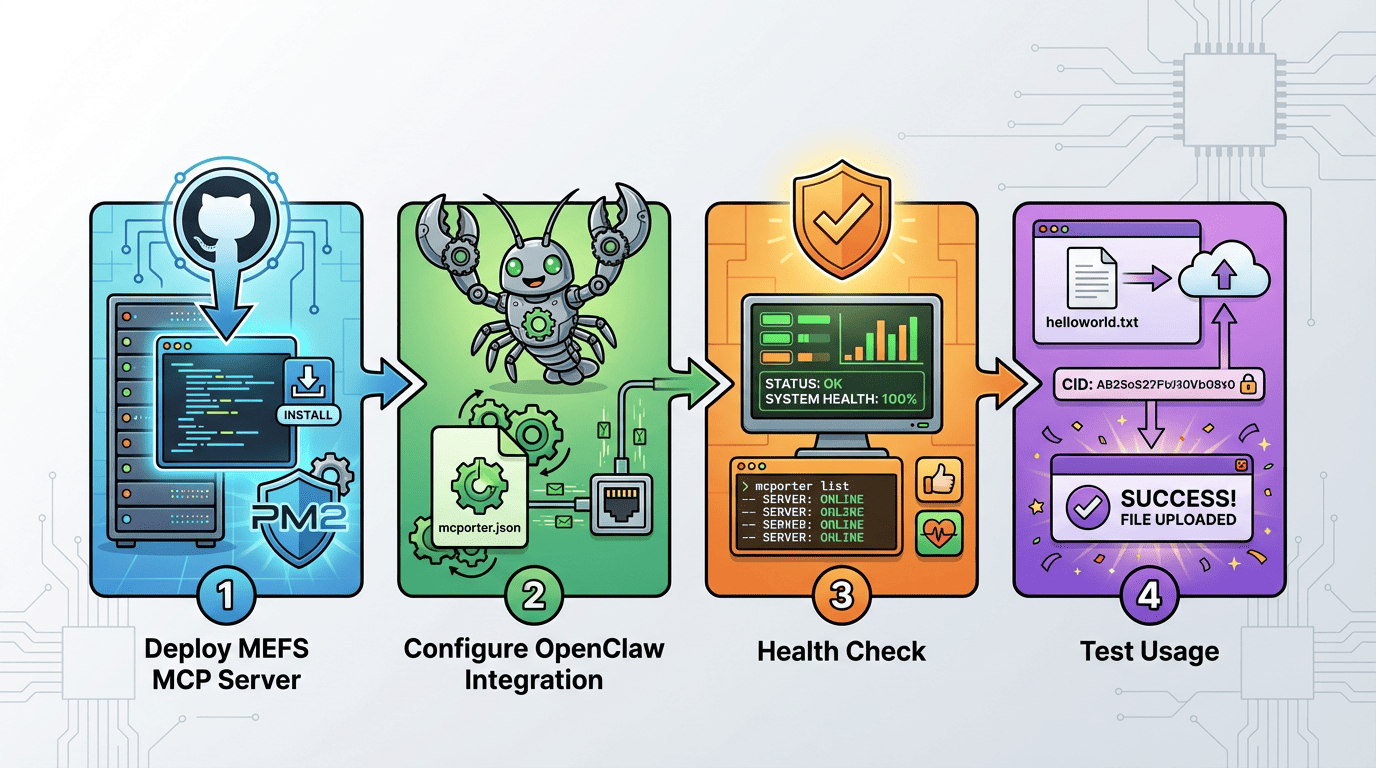
The entire installation process is designed to be intuitive, making it suitable forOpenClawusers to follow step by step. The main steps are as follows:
Step 1: Deploy MEFS MCP Server service
Clone the official GitHub repository on the server, navigate to the directory, install dependencies, and perform a build to generate an executable file. Next, globally install PM2 process manager (if not already installed), then edit`package.json`and add the startup command to the `scripts` section. Finally, start the service using PM2 and set environment variables (including the EVM private key, port 8085, and transfer mode). After startup, you can use `curl` to perform a simple test on the local SSE interface on port 8085 to confirm that the serviceis responding normally .
Step 2:Complete the integration in OpenClaw
Install the mcportertool globally. Switch to the configuration directory, create a config folder, and create a newmcporter.jsonfile. In the file, fill in the relevant parameters for memo-mefs-mcp-server (specifying the node execution path, the transport mode asstdio, and the corresponding private key). ThisallowsOpenClawto call the MEFS service locally .
Step 3: Conduct a health check
Use the `mcporterlist` command and specify the configuration file path to check the returned health status. If it shows normal, it means that the MEFS MCP Server has successfully connected toOpenClaw.
Step 4: Simple test usage
In the OpenClaw environment, you can directly give instructions to the AI, such as: “I ask you to generate a local helloworld.txt file and upload it to memo- mefs — mcp -server. The MCP server configuration file is located at /root/config/mcporter.json “.
The AI will automatically generate files inthe OpenClawworking directory, complete the encoding, and callthe uploadFiletool. After completion, it will return the CID. If you need to read the file later, you can callretrieveFile.
What are the benefits of usingMEFS MCP Serverin conjunction with OpenClaw?
MEFS MCP Server providesOpenClawusers with a stable data management option for their AI agents. AI-generated code files, training logs, model outputs, and other content can all be stored in the MEFS network. Access is straightforward, and cross-device and cross-session data retention is possible. Overall, its useintegrates seamlessly with existingOpenClaw workflows, requiring no additional learning curve.
Furthermore, the MEMO project itself focuses on data sovereignty and data assets, possessing data monetization capabilities. Therefore, data stored throughOpenClawin conjunction with MEFS MCP Server can undergo further monetization operations via the MEMO network. This adds a layer of practical application value to AI-generated content, beyond its secure storage.
The installation boom of OpenClaw continues, and MEFS MCP Server can serve as a useful extension to make the data processing of AI agents more complete.
If you happen to be usingOpenClaw, you can try connecting to the MEFS MCP Server. For any questions during installation, you canask in the MEMO official website’s community or on social media.
Official GitHub repository:https://github.com/memoio/mefs-mcp-server